
- Home
- Blog
- PDM/PLM Practices and Knowledge
- SolidWorks drawing, CAD file, version and BOM management solution
SolidWorks drawing, CAD file, version and BOM management solution
With More and More SolidWorks Drawings, How Can Enterprises Manage Them Effectively?
For manufacturers using SolidWorks for product design, as the number of products, customers, and engineering projects increases, enterprises generate large amounts of SolidWorks 3D CAD files, 2D engineering drawings, assemblies, parts, BOMs, PDFs, and related technical documents every day.
If these design data are mainly managed through personal computers, NAS, shared folders, or general file servers, this may be convenient at first. However, as the number of engineers increases and product versions multiply, it can easily lead to:
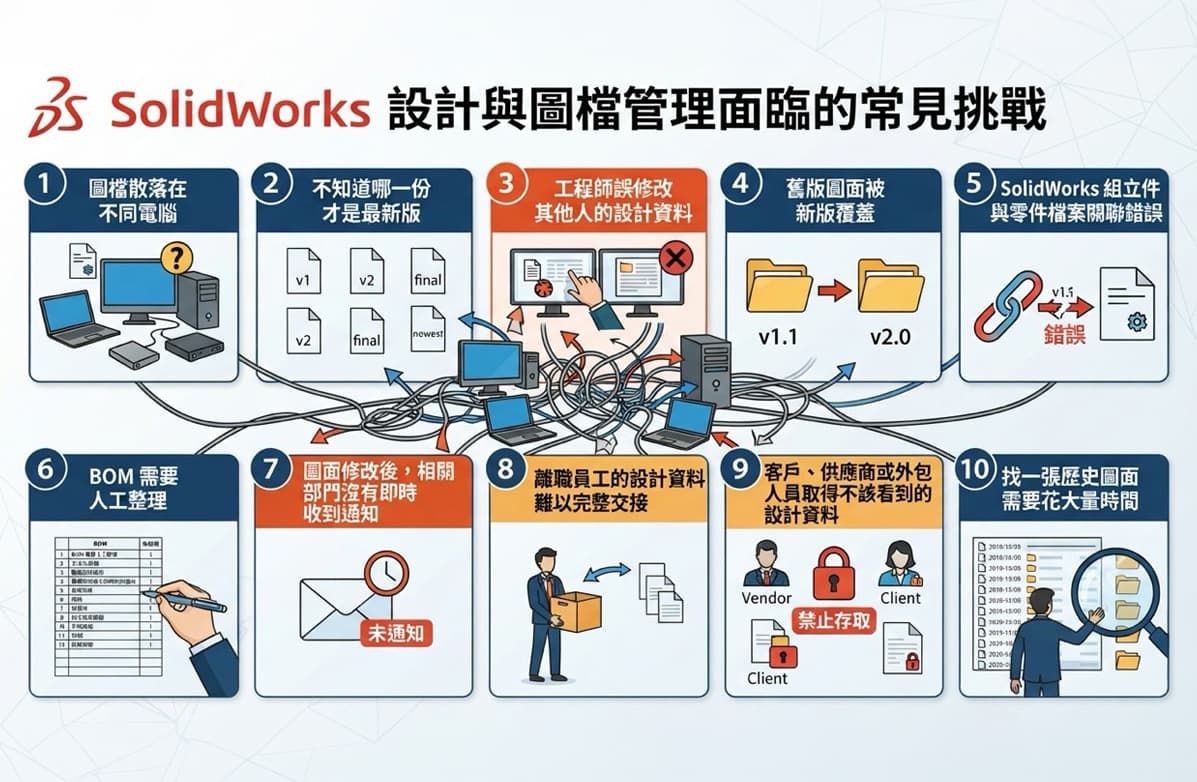
The core of these problems is not actually "too many files," but rather the lack of a complete product data management mechanism.
Therefore, enterprises can leverage SolidWorks + CIMer PDM to centrally manage CAD design data, versions, BOMs, permissions, and approval workflows.
What Is CIMer PDM Integrated with SolidWorks?
CIMer PDM (Product Data Management) is primarily used to manage product development data within an enterprise.
For SolidWorks users, CIMer PDM is not simply about "storing CAD files on a server." Instead, it establishes the relationships between:
SolidWorks CAD → Drawings → Parts → Assemblies → BOM → Versions → Permissions → Approvals → Changes.
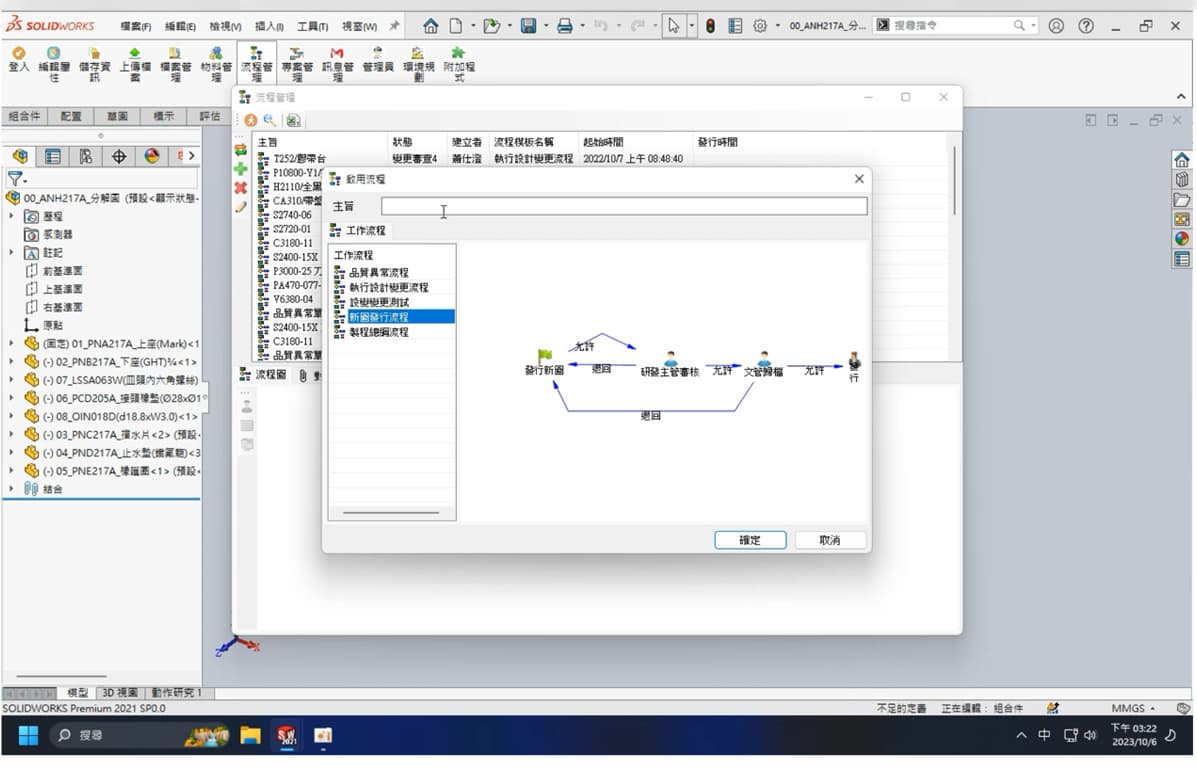
CIMer PDM currently provides CAD and product data management capabilities. It can integrate mainstream CAD systems such as SolidWorks with the CIMer PDM platform, allowing engineers to manage data within a familiar design environment.
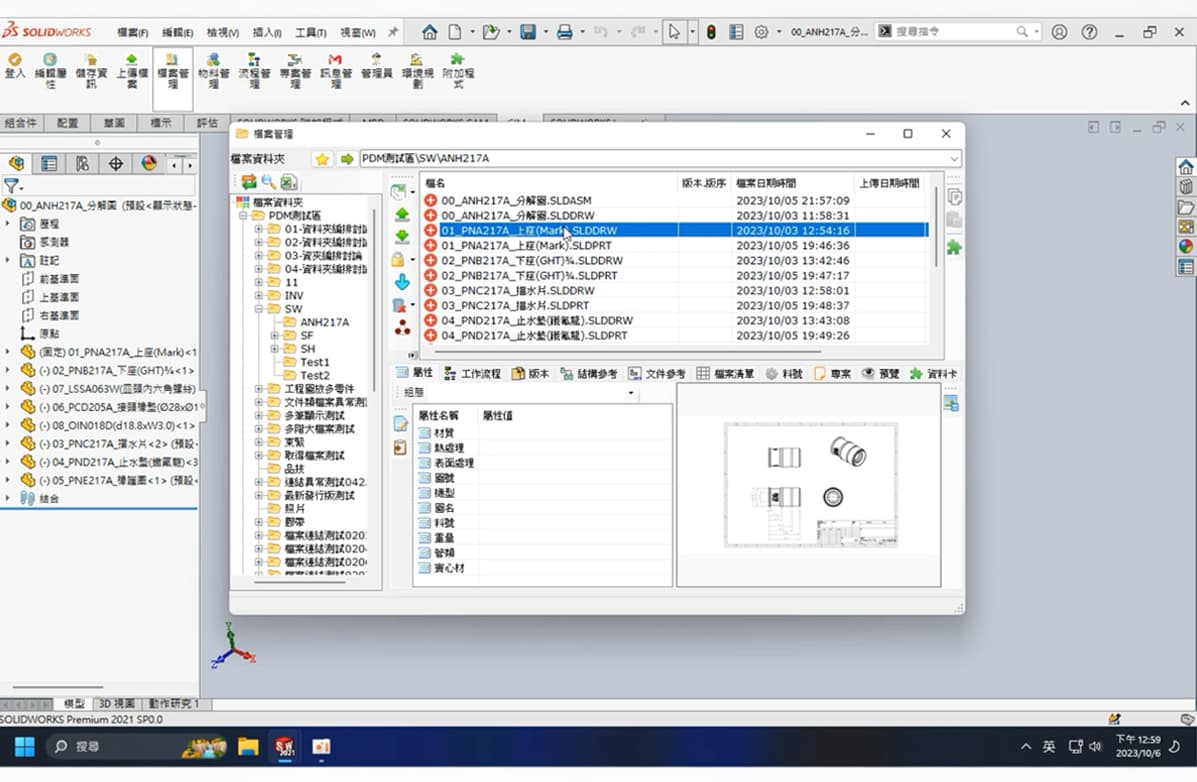
1. Centralized SolidWorks Drawing Management
The traditional approach is usually:
Engineer's Computer → NAS → Folder → Drawing
As the number of engineers increases, the folder structure can easily become complicated.
For example:
\\NAS\R&D Department
├─ 2024 Products
├─ 2025 Products
├─ New Products
├─ Old Products
├─ Customer A
└─ Customer B
Engineers may need to determine which drawing can be used based on file names and folder locations. After implementing CIMer PDM, these data can be:
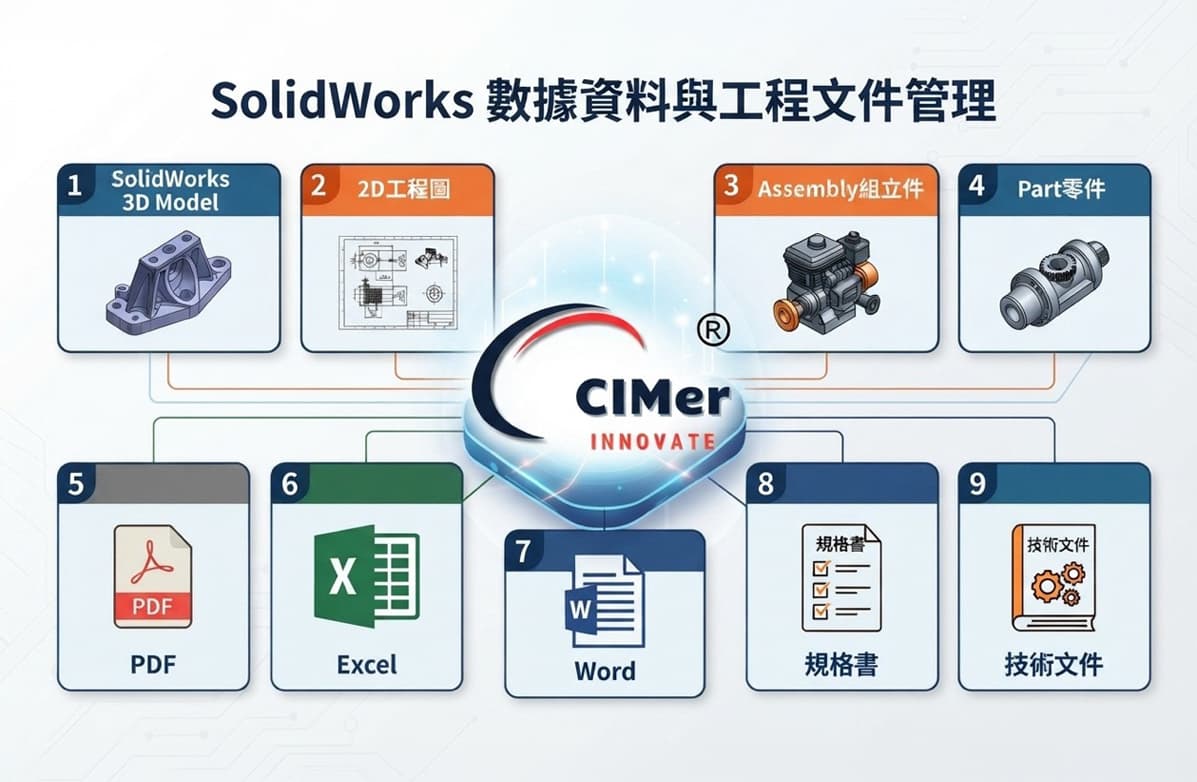
Centralized on a product data management platform. Product-related data is no longer treated simply as "files," but instead forms a connected product data structure.
CIMer's design data management architecture also covers CAD, documents, BOM, Revision, Workflow, and permission management.
2. SolidWorks CAD File Management
One of SolidWorks' key features is the high level of association between parts, assemblies, and engineering drawings.
For example:
Assembly > Part A > Part B > Drawing
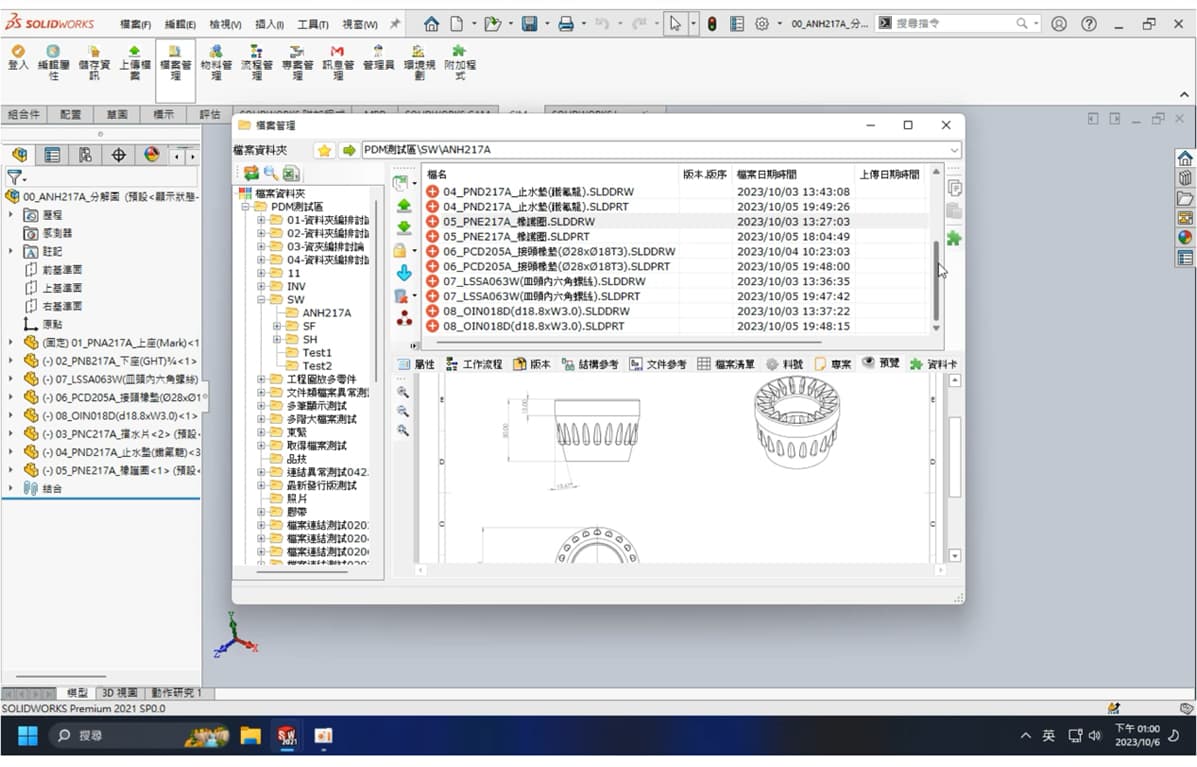
If files are managed directly through Windows folders, moving, renaming, or overwriting files may create difficulties in maintaining reference relationships. CIMer PDM can centrally manage product design data and establish relationships between CAD documents.
This makes it easier for engineers to identify:
Which parts are used in this assembly?
Which engineering drawings are associated with this part?
Which version of the product is currently being used?
Which products use this part?
3. SolidWorks Version Management
One of the most common problems in manufacturing is: "Which drawing is actually the latest version?"
For example, the same part may have:
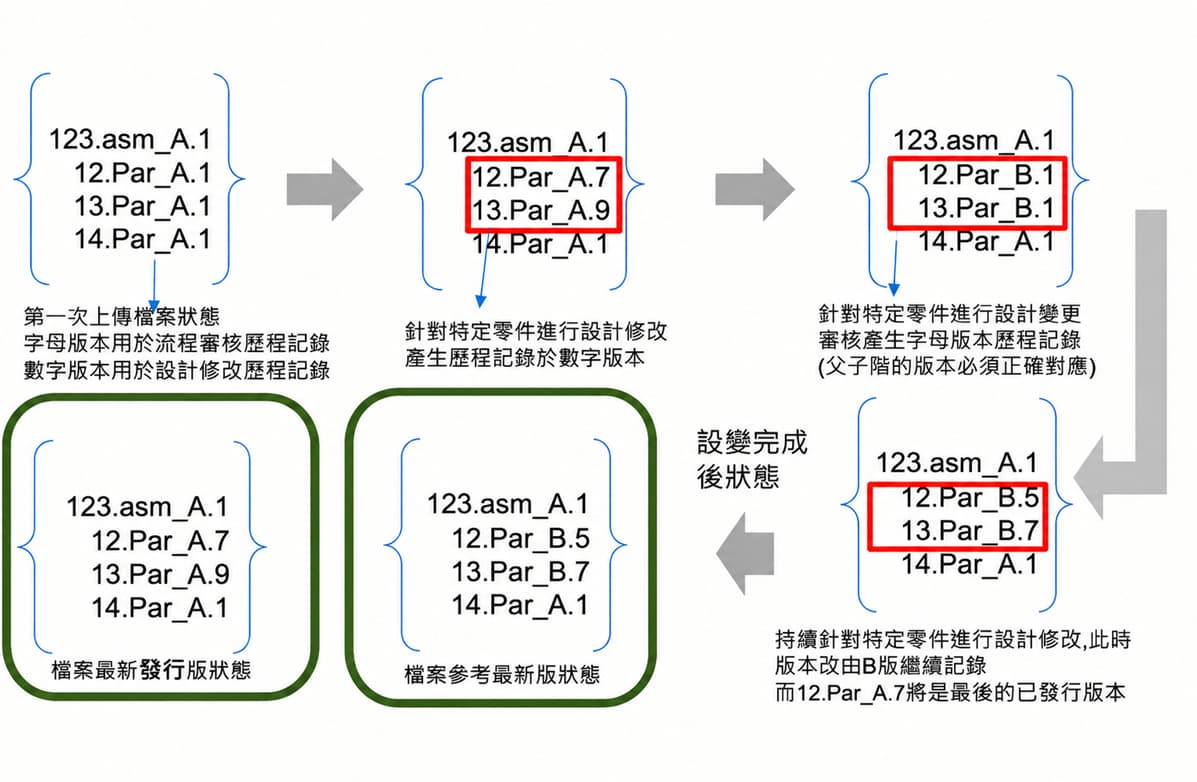
When file management relies entirely on manual naming, the more versions there are, the greater the management risk. Through Version / Revision Management, CIMer PDM preserves the historical records of design data, allowing enterprises to track product data across different stages.
Engineers can therefore clearly track:
Current Version → Previous Version → Historical Versions → Modification Records
This helps prevent manufacturing, procurement, or quality issues caused by accidentally using outdated drawings.
4. SolidWorks BOM Management
SolidWorks products typically contain a large number of parts and assembly structures.
For example:
Product A
│
├── Assembly A
│ ├── Part 001
│ ├── Part 002
│ └── Part 003
│
├── Assembly B
│ ├── Part 004
│ └── Part 005
│
└── Standard Parts
If BOMs are completely compiled manually, related data must be reviewed again whenever the product is modified.
Through the integration of CIMer PDM and CAD, CAD, BOMs, product structures, and related documents can be associated, helping enterprises establish a more complete product data management process.
The process can extend from R&D design to: Design → BOM → Procurement → Production → Quality, ensuring that product data is no longer scattered across different systems.
5. SolidWorks Permission Management
Enterprise design data is often an important R&D asset. Different personnel should have different levels of data access permissions. For example:
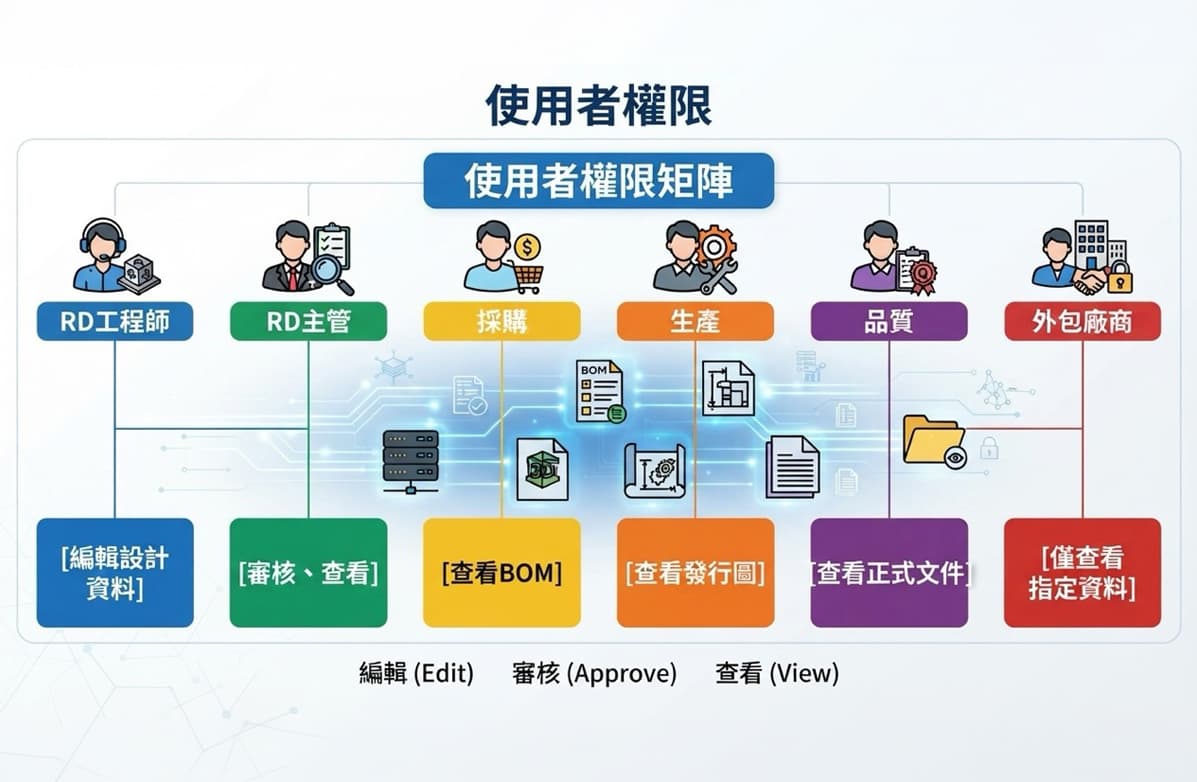
CIMer PDM can establish data permissions according to an enterprise's organizational and management requirements, incorporating data access scenarios involving departments, customers, outsourcing partners, and more.
This allows enterprises to move beyond "everyone can access the NAS" toward "different roles can only access the data they are authorized to see."
6. Centralized SolidWorks Design Data Management
For manufacturers, what truly matters is not a single CAD file, but the complete product data. For example:
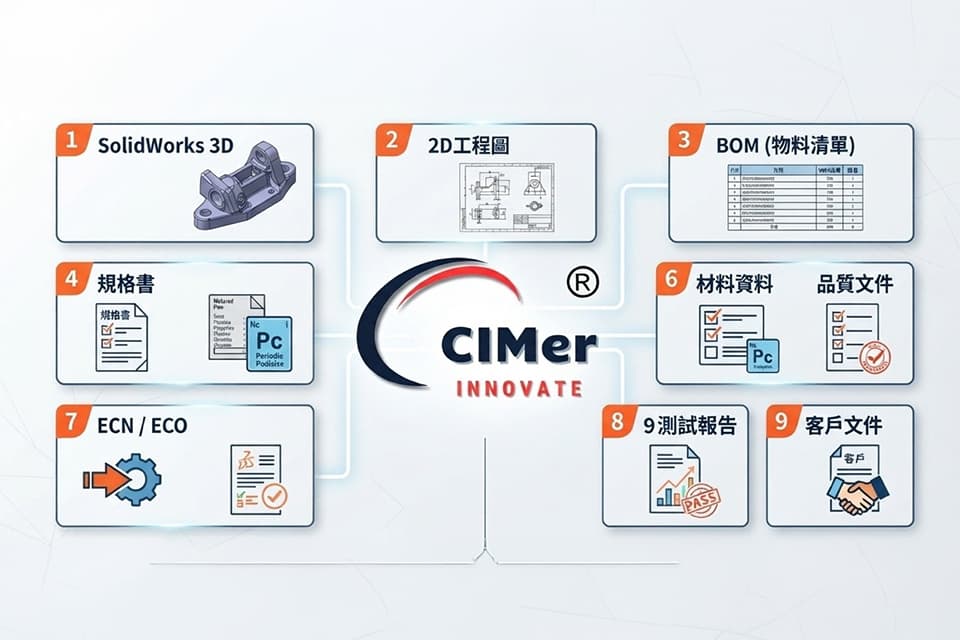
The core concept of CIMer PDM is to transform this data from "scattered files" into a "product data collection." In other words: Product = CAD + Drawings + BOM + Documents + Versions + Workflows
This is also one of the key differences between CIMer PDM and a general NAS or file server.
7. SolidWorks and CIMer PDM System Integration
For engineers, the most important aspect of CIMer PDM is not adding more work, but allowing data management to become part of the existing design workflow.
CIMer uses CAD integration to support mainstream CAD environments such as SolidWorks, Creo, NX, Inventor, CATIA, and AutoCAD.
Engineers can follow enterprise processes such as: Design > Check-in > Version Management > Review > Release > BOM > Manufacturing Use
This transforms design data from files stored on an engineer's personal computer into product data that the enterprise can manage, track, and use.
SolidWorks + CIMer PDM, Addressing 7 Common Challenges in Manufacturing
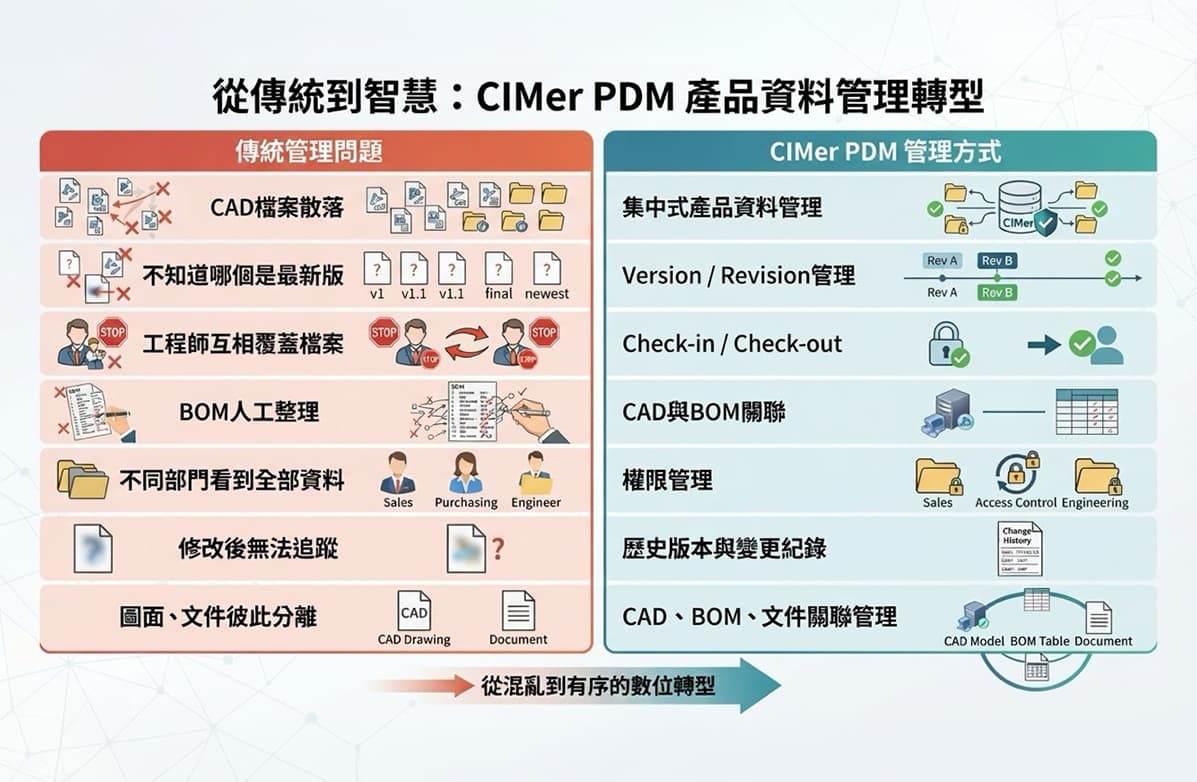
Upgrade from "File Management" to "Product Data Management"
The first requirement many enterprises have when implementing PDM is: "We simply want to manage our SolidWorks drawing files properly." However, after implementation, PDM can further manage:
CAD + Drawings + BOM + Revision + Workflow + Permissions + ECN / ECO + Product Data
forming a complete R&D data management platform for the enterprise.
CIMer currently also extends PDM to applications such as PLM, AI-assisted design guidance, and Web collaboration, allowing product development data to gradually expand from basic CAD management to product lifecycle management.
Which Enterprises Are Suitable for Implementing SolidWorks CIMer PDM?
If an enterprise has the following situations, it may be suitable to evaluate PDM:
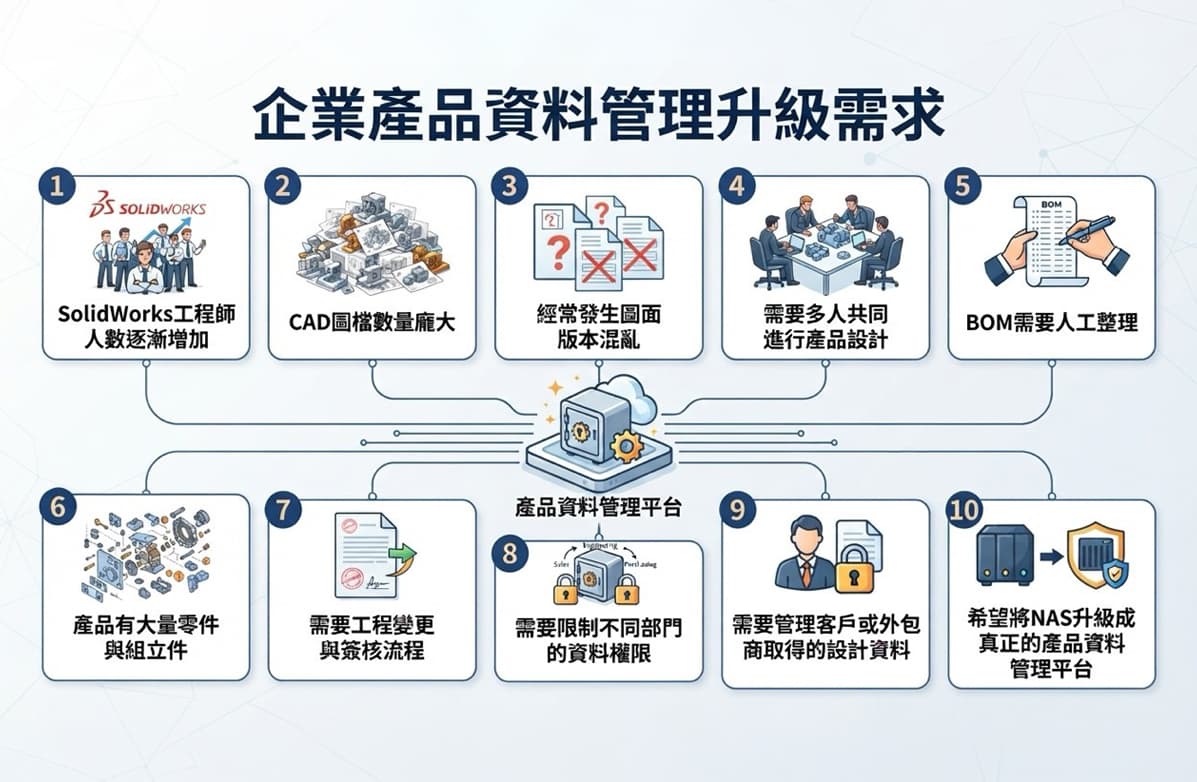
CIMer PDM|Turning SolidWorks Design Data into an Enterprise Asset
SolidWorks is responsible for product design, while PDM enables enterprises to manage, track, protect, and make effective use of this design data.
Through the integration of SolidWorks and CIMer PDM, enterprises can establish:
Centralized CAD Management × Version Management × BOM Management × Permission Management × Workflow Approval × Product Data Relationships
This allows engineers to do more than simply "create drawings"—it enables every piece of design data to be effectively managed and continuously utilized by the enterprise.
If your enterprise is still managing SolidWorks drawings through personal computers, NAS, and shared folders, you can further evaluate CIMer PDM to upgrade from simple "file management" to comprehensive product data management.